
Not sure which diagnostic scanner your workshop needs? Learn what to consider, from vehicle coverage and diagnostic functions to choosing the right level of equipment.
 Choosing a diagnostic scanner can be surprisingly difficult.
There are plenty of options available, and the list of features can quickly become overwhelming. The most expensive scanner isn’t necessarily the best choice for your workshop, and buying a tool that’s too limited can be just as frustrating.
The right diagnostic scanner is the one that matches the vehicles you work on, the jobs you need to perform and where you want your workshop to go.
Here are some of the things we’d consider before making a decision.
1. Start with the vehicles you actually work on
Before looking at specifications, think about the vehicles coming through your workshop.
Do you mainly work on passenger vehicles? Do you see a mixture of makes and models? Are you increasingly working on newer vehicles or more complex systems?
A scanner that works well for one workshop may not be the right fit for another.
Vehicle coverage is therefore one of the first things worth checking before you buy.
2. Think beyond basic fault-code reading
An entry-level scanner can be useful for reading and clearing fault codes, but professional workshops often need much more.
Depending on the equipment, you may need access to:
- Live data
- Full-system diagnostics
- Special functions and maintenance resets
- Actuation or bi-directional tests
- Coding and adaptations
- More advanced diagnostic functions
The more complicated the work coming through your workshop, the more important these capabilities become.
3. Consider what your workshop needs today, and tomorrow
It’s tempting to buy the most capable scanner available, but more capability isn’t automatically better value if you aren’t going to use it. At the same time, buying a basic tool when your workshop is already taking on more advanced work can mean spending twice.
A useful question to ask is:
What do I need my diagnostic equipment to do over the next few years?
If your workshop is growing, it can make sense to invest in equipment that gives you room to grow with it.
4. How much diagnostic depth do you actually need?
This is where the difference between diagnostic tools becomes more noticeable.
For someone working on their own vehicles or carrying out relatively straightforward checks, a simpler solution may be perfectly adequate. For a professional workshop, you may need a much broader range of diagnostic functions.
For example, the THINKTOOL Lite 2 is positioned as a full-function diagnostic tool with OE-level full-system diagnostics, special functions, coding and maintenance resets. ThinkCar also lists support for CAN FD and DoIP, as well as 34 maintenance functions.
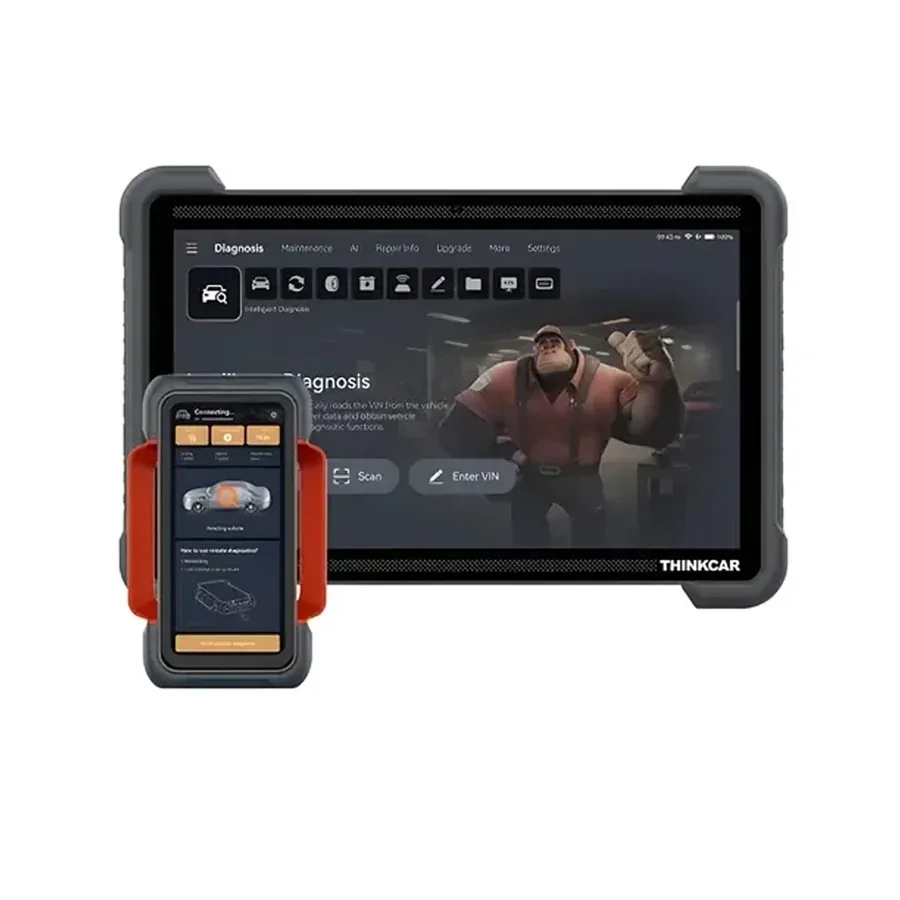
For a workshop doing more advanced diagnostic work, the THINKTOOL Expert 394 offers a step up in capability, including full-system diagnostics, AI assisted diagnostics, actuation tests, dual diagnostics, automatic VIN scan, coding and online programming for supported makes. It also supports additional diagnostic modules and vehicle packages.
The important point isn’t simply that one tool has more features than another. It’s whether those features are useful for the work your workshop actually does.
5. Don’t forget ease of use and support
A diagnostic tool can have an impressive list of functions and still be frustrating to use.
Think about:
- How easy is it to navigate?
- How quickly can a technician find the information they need?
- Is the system regularly updated?
- What support is available when you run into a problem?
These things matter because diagnostic equipment is supposed to help your workshop work more efficiently, not create another obstacle.
6. Think about the cost — but don’t look at price alone
A cheaper diagnostic tool isn’t necessarily the cheaper option in the long run.
Consider what the equipment will allow you to do yourself, how often you’ll use it and whether it can reduce the need to outsource diagnostic work.
On the other hand, paying for functions your workshop rarely uses doesn’t necessarily make sense either.
The goal is to find the right level of capability for your business.
So which level is right for you?
There isn’t one answer for every workshop.
Entry-level / DIY
Best for vehicle owners and enthusiasts who want to carry out their own basic diagnostics and understand what’s happening with their vehicle.
ThinkDiag 2 is an option to consider in this space.
Professional workshop
For workshops and technicians who need broader diagnostic capability for regular repair and servicing work.
THINKTOOL Lite 2 is one option in this category.
Advanced diagnostics
For workshops handling more demanding diagnostic work and looking for capabilities such as advanced functions and online programming for supported vehicles.
THINKTOOL Expert 394 is designed for this higher level of application.
The right scanner isn’t necessarily the biggest one
When choosing diagnostic equipment, it’s easy to get caught up in the longest list of features.
We’d suggest starting somewhere else:
What vehicles do you work on?
What jobs do you need to perform?
What are you currently outsourcing?
Where do you want your workshop to be in the next few years?
Those answers will tell you much more about what you need than the price tag alone.
At Valley Tech Solutions, we can help you work through the options and find a diagnostic solution that makes sense for your workshop.
Need help choosing?
Talk to us about your diagnostic requirements.
Explore Automotive Diagnostics →
Need help choosing the right automotive diagnostics?
Tell us what you are working with and we will advise on options, pricing and lead times — usually within a business day. No obligation, no checkout.